Notifications
Notifications should help you get back to what matters, not create more noise. When setting a reminder, first ask yourself what action it should prompt you to take.
A Real-World Scenario
Section titled “A Real-World Scenario”For example, if you want to review tasks before the end of each day, set a recurring reminder. If you’re just worried about missing something, clean up your inbox first — don’t hand every uncertainty over to notifications.
Reminders Should Point to an Action
Section titled “Reminders Should Point to an Action”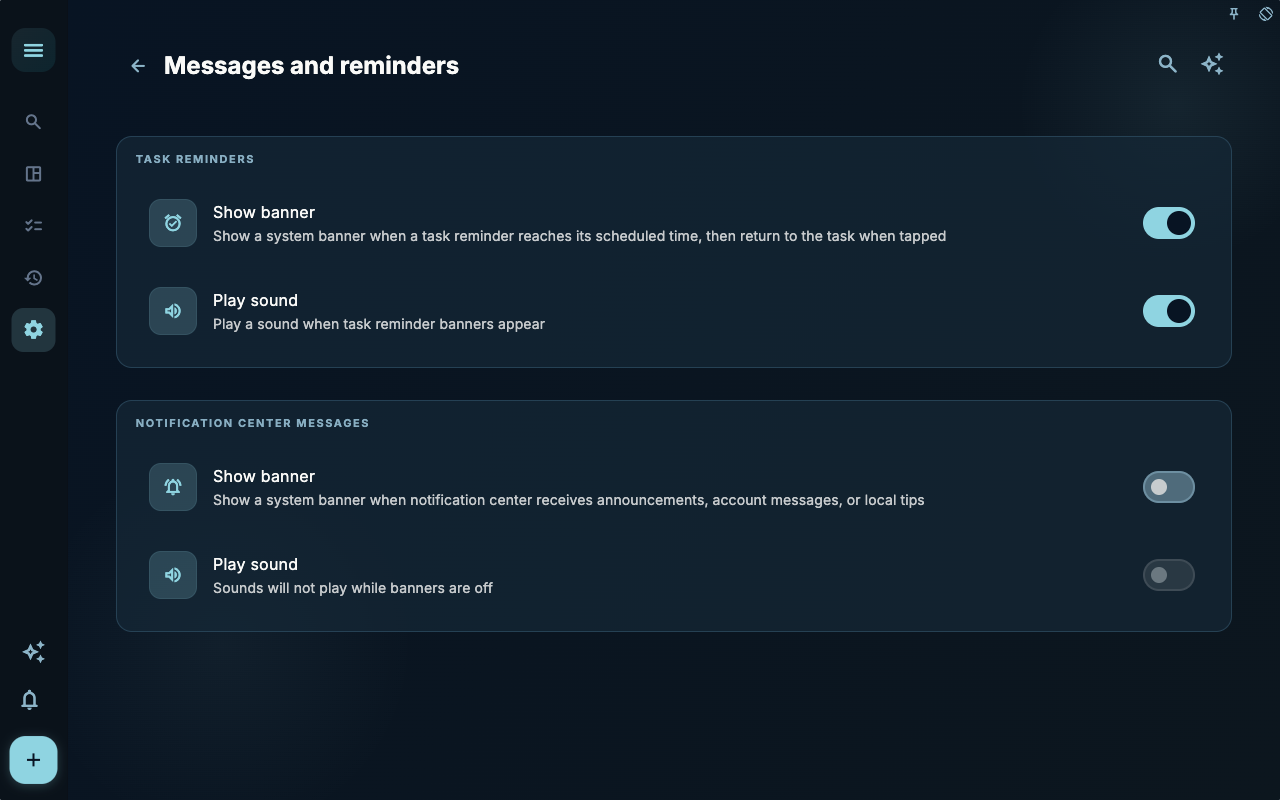
In the message reminder settings, the real decisions are when the reminder appears and what it says. If a reminder doesn’t tell you what to do next, it will become background noise in a few days.
How to Decide the Next Step
Section titled “How to Decide the Next Step”| Your situation | What to check first | Next step | | --- | --- | --- | | Not sure where to start | Current page title and main entry points | Choose only one item related to your current goal | | Result is not what you expected after an action | Status, empty state, access history, or sync progress | Go back one level, then troubleshoot step by step | | Worried about affecting data | Backups, sync, account, or permissions documentation | Stop first, confirm the scope, then proceed |
The Boundaries
Section titled “The Boundaries”A good reminder usually has a clear trigger time and a clear action. Without an action, a reminder will turn into background noise after a few days.
Next Steps
Section titled “Next Steps”After reading this section, return to the task you were working on and choose just one minimal action to continue: log an input, check a status, or open a relevant setting to complete a confirmation.