Inbox
The inbox isn’t a final task list or a project management area. Think of it as a temporary desk: when something comes to mind, you drop it here first. Later, you decide whether to give it a date, put it in a project, or delete it altogether.
The key to using the inbox well is separating recording from organizing. When you think of something, just record it. When you actually organize, you make the judgment.
What’s usually in the inbox
Section titled “What’s usually in the inbox”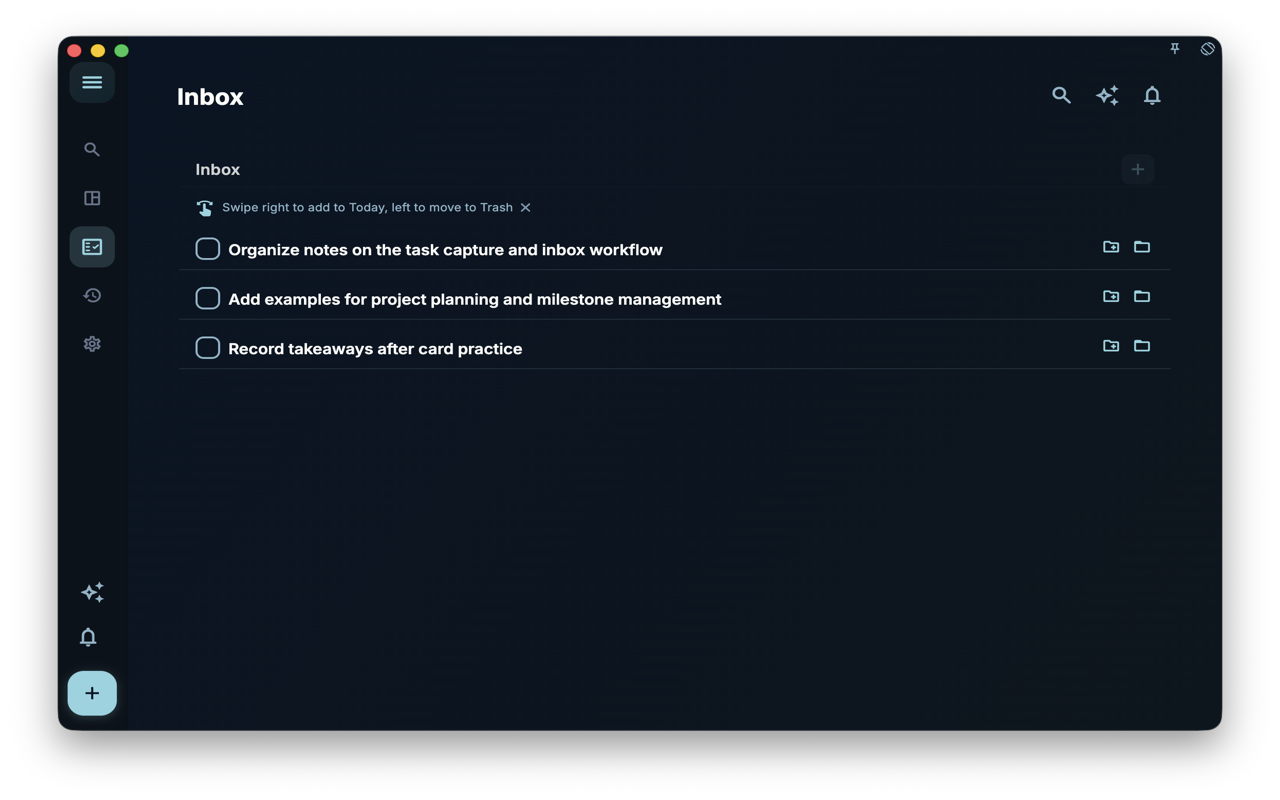
The inbox shows tasks that have no date and are still pending or in progress. The point in the screenshot is “unscheduled”: these tasks haven’t entered a specific day’s plan yet, so they stay here waiting for you to handle them.
If a task already has a date, it goes to that day’s task list. If it is completed, archived, or deleted, it also disappears from the inbox.
How to add tasks to the inbox
Section titled “How to add tasks to the inbox”Tap the + button at the bottom, write a task title, and save. As long as you don’t pick a date, it goes into the inbox.
When you first record something, it can be pretty casual:
- Contact the client tomorrow
- Organize course notes
- Buy floss
- Make dinner plans with friends this weekend
Later, during organization, you can rewrite it into a more specific action, add a date, put it in a project, or add tags.
Why some tasks aren’t in the inbox
Section titled “Why some tasks aren’t in the inbox”| What you did | Where the task goes | | --- | --- | | Didn’t pick a date, saved directly | Stays in the inbox | | Picked a date | Appears on that day’s task list | | Added to a project but no date | Still in the inbox, also belongs to the project | | Created inside a project but no date | Still in the inbox, also belongs to the project | | Completed, archived, or deleted | Leaves the inbox, goes to the corresponding state |
The most common misunderstanding here is about project membership. Adding a task to a project doesn’t alone move it out of the inbox; the date is what decides whether it enters a particular day’s task list.
How to organize the inbox
Section titled “How to organize the inbox”You don’t need to aim for emptying it. Just work through these questions:
| Question | If “yes” | Next step | | --- | --- | --- | | Need it done on a certain day? | Yes | Add a date | | Belongs to a long-term goal? | Yes | Put it into a project or milestone | | Too big, don’t know how to do it? | Yes | Break it into steps | | Not worth doing anymore? | Yes | Delete or archive | | Can be done quickly? | Yes | Do it right away |
Next steps
Section titled “Next steps”Once the inbox contents become clearer, you can move on to “Creating and editing tasks” to add dates, projects, tags, or steps to tasks.