Project Completion and Archiving
When a project reaches its later stages, the real decision isn’t “how to remove it from the list,” but rather “should this be recorded as completed, temporarily put away, or discarded entirely?”
In GranoFlow, completion, archiving, and deletion all seem like closing actions, but they have different meanings. Choosing the right one ensures you won’t misinterpret what happened when you revisit the project later.
Differences Between the Three Actions
Section titled “Differences Between the Three Actions”| Action | When to Use | Result | | --- | --- | --- | | Completion | Goal has been achieved | Project is marked as completed, related content remains viewable | | Archive | Paused, no longer being progressed, or temporarily not wanted in current view | Project is tucked away, can be restored later | | Delete | Empty project truly no longer needed | Only suitable for deletion when the project is empty |
How to Operate
Section titled “How to Operate”Go to the project details page, open the menu in the top-right corner, and you will find options to complete, archive, or delete.
If you simply want to record that “the goal has been achieved,” choose Complete. If the project is put on hold temporarily but may be revisited later, choose Archive. Only consider deletion if the project has no tasks or milestones and you are certain it is no longer needed.
Protection Rules When Deleting a Project
Section titled “Protection Rules When Deleting a Project”The delete option is only shown for empty projects. If the project still has tasks or milestones, the delete button will not appear. You need to first move, complete, archive, or delete the content inside, then return to handle the project itself.
This protection rule is not an unnecessary extra step. It serves as a reminder: the project itself may just be a container, but the tasks and stages within still hold informational value.
Milestones may need to be handled before archiving
Section titled “Milestones may need to be handled before archiving”If there are unarchived milestones in the project, GranoFlow may ask you to handle them first before archiving the entire project. This prevents the project from being archived while still containing stages that appear to be in progress.
When you see the relevant prompt, return to the project details page and complete or archive each milestone one by one. After confirming that all stages are closed, archive the project.
How to choose
Section titled “How to choose”| Your current thought | Suggested action | Why | | --- | --- | --- | | This goal has been achieved | Complete | So you can see it was properly closed when reviewing later | | Not moving forward for now, but may use later | Archive | Keep context without cluttering the current view | | Just created an empty project by mistake | Delete | An empty project has nothing to keep | | There are still unfinished tasks in the project | Handle tasks or milestones first | To avoid hiding what really needs to be done |
Relationship with Task Status
Section titled “Relationship with Task Status”Completing or archiving a project does not automatically set every task to the same status. Tasks still retain their own completion, archival, or date information.
A more reliable approach is to handle tasks and milestones first, then deal with the project itself. That way, when wrapping up the project, you see a complete route rather than a hastily packed container.
How to Review After Wrapping Up
Section titled “How to Review After Wrapping Up”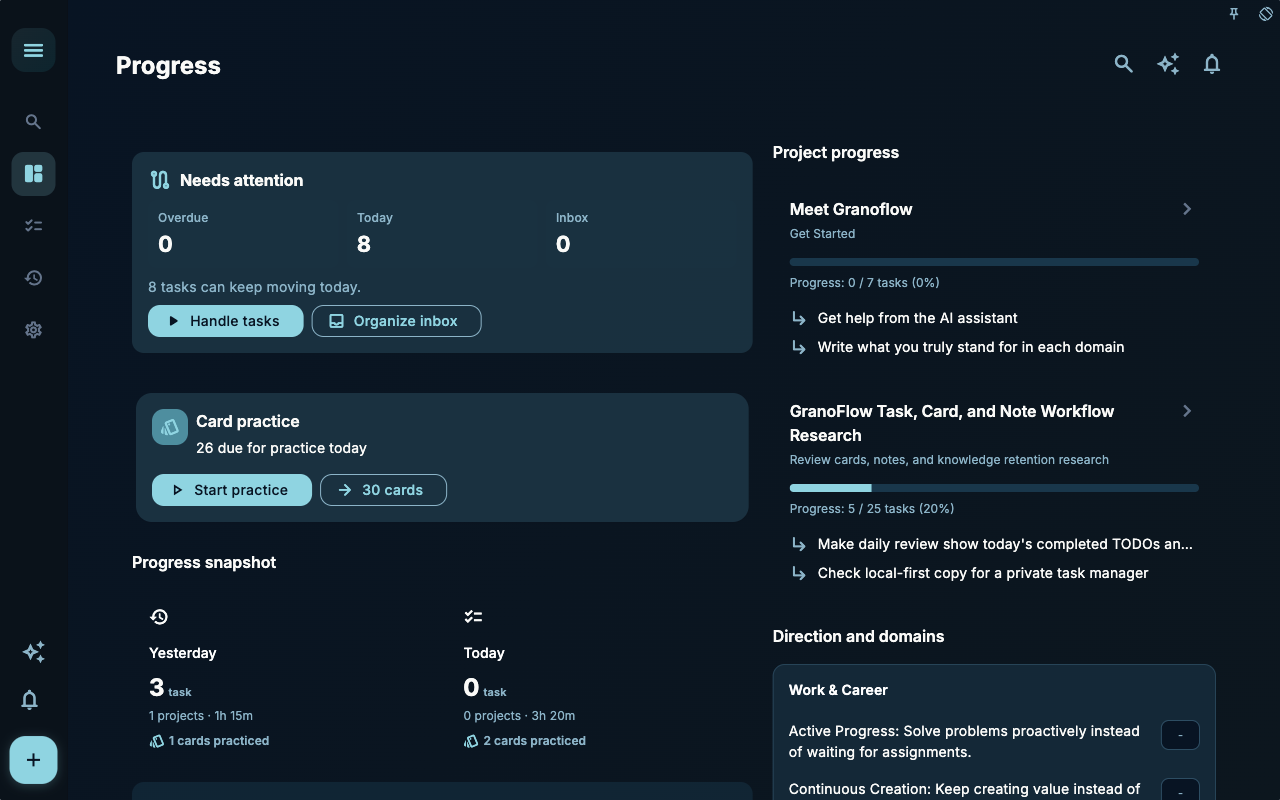 Progress statistics are suitable for review after a project is completed or archived. It’s not about grading yourself, but about helping you see which actions have actually taken place recently, and which projects were merely written down without moving forward.
If a project has left no trace of action for a long time, don’t jump to conclusions first. A more useful approach is to go back into the project and break down the next step into smaller pieces; if it’s no longer suitable to proceed, complete or archive it according to the rules mentioned earlier.
Conclusion
Section titled “Conclusion”The main thread of the project chapter is now complete: first determine when to create a project, then use milestones to break down phases, connect tasks into them, and finally wrap up with completion, archiving, or deletion. If you just need to arrange what to do today, you can go back to the tasks chapter; if you want to keep the experience from a completed task for later, you can continue reading the review and card-related chapters.