Create and Link Cards
When creating a card, don’t start by asking “Can I save this paragraph?” A better question is: What’s the one sentence I’d want to remember next time I face a similar task?
GranoFlow lets you create cards on their own or add them from a task’s detail page. The two entry points serve different purposes: creating a standalone card is good for distilling experience you’ve already thought through; adding from a task is best for tying a judgment you just made or reviewed back to the original work situation.
Start with a question you can practice
Section titled “Start with a question you can practice”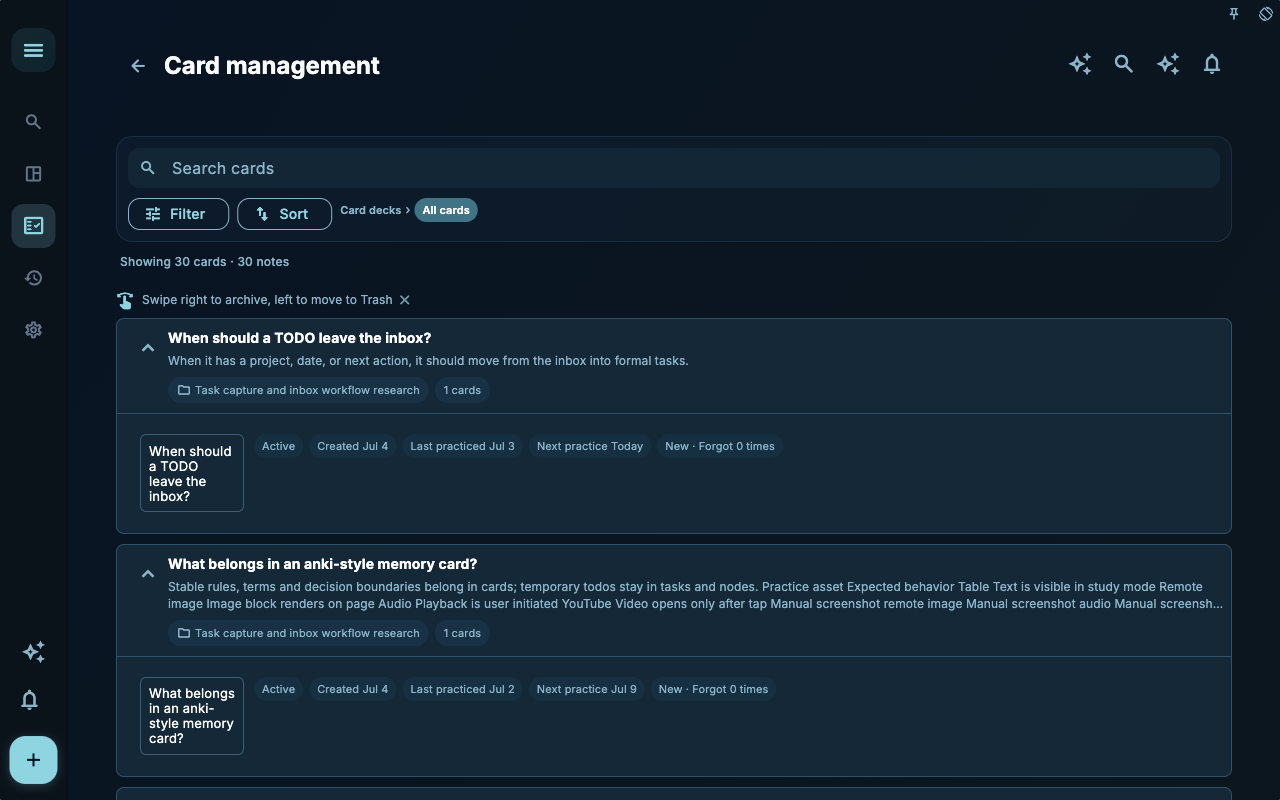
The point of the new card page isn’t to write a long entry—it’s to write a clear question. A good question makes you pause during practice and form your own answer.
| Less suitable | More suitable | | --- | --- | | “Project management is important” | “When a project is delayed, what three things should you check first?” | | “Inbox must be emptied” | “Under what conditions should a task leave the inbox?” | | “Reviews are helpful” | “After completing a task, what kind of experience is worth turning into a card?” |
The answer doesn’t need to read like a textbook. Write it as a paragraph you’d understand later, preferably with a real example. For example: “If a task already has a project, due date, or next action, don’t keep it in the inbox; the inbox is only for input you haven’t sorted yet.”
Create a card from a task
Section titled “Create a card from a task”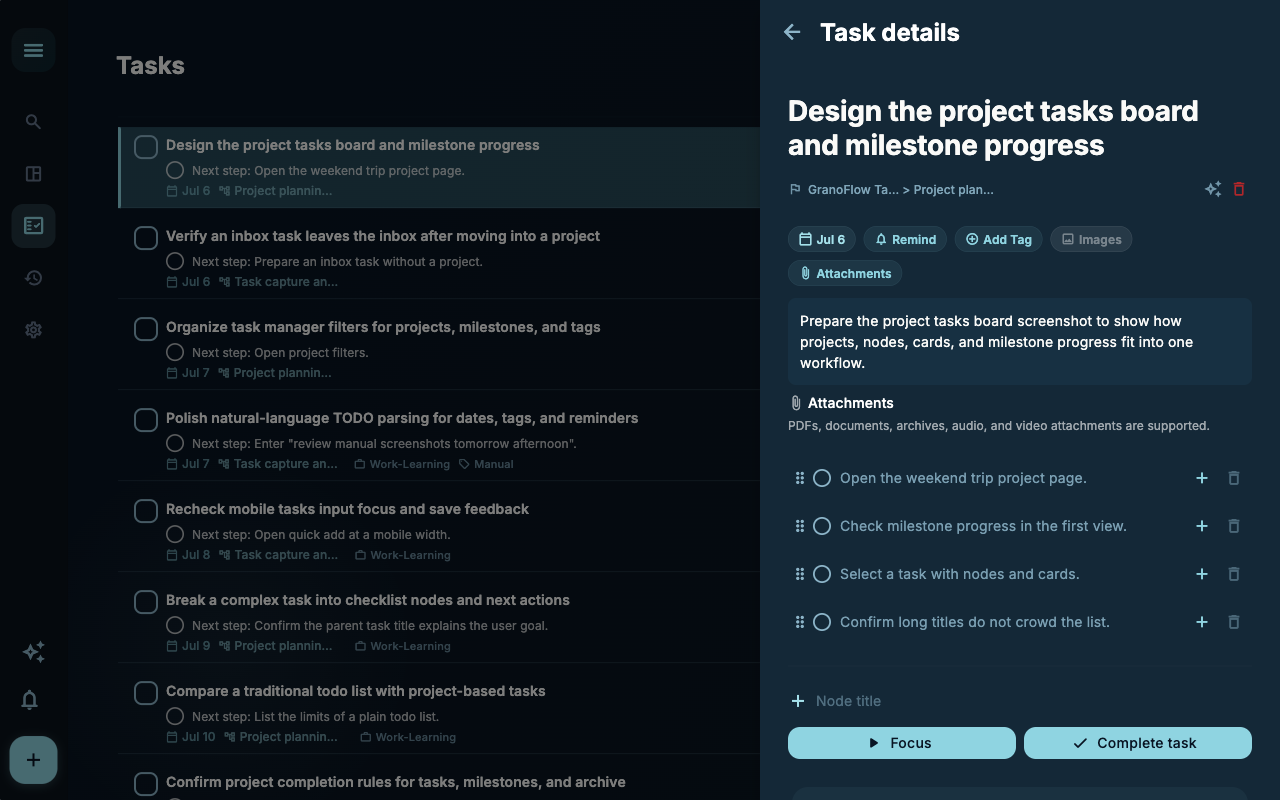
The “Task Cards” section on a task’s detail page is perfect for capturing experience that just came out of an action. In the screenshot, the task details are on the right, with an “Add Card” entry at the bottom. The advantage here: the card already knows which task it came from, so it doesn’t become an isolated note.
You can follow this sequence:
- Open the related task.
- First look at the task title, description, and nodes to confirm what you actually learned.
- Add a card in the “Task Cards” section.
- Capture the point you want to remind yourself about next time as a question.
- Write the judgment and example clearly in the answer.
Don’t copy the task description into the card. The task description answers “What is this task?” while the card answers “Next time I’m in a similar situation, how should I decide?”
Link an existing card
Section titled “Link an existing card”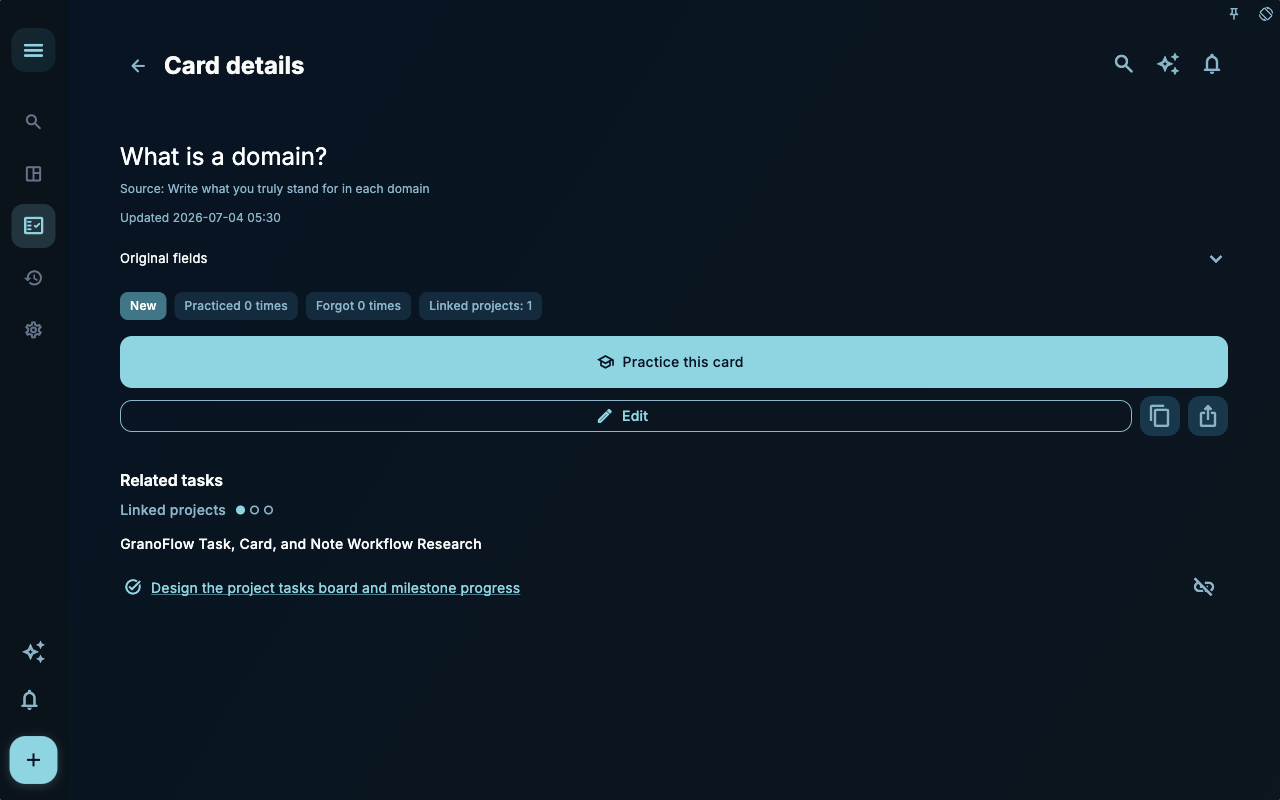
The card detail page shows the card’s title, source, learning status, and linked tasks. In the screenshot, the card “What is a domain?” is already linked to a task. This link matters: it turns the card from a piece of knowledge into a reminder that connects back to a concrete action.
Think of the card detail page as an index card, not a duplicate of the full note. To keep reading, expand Original fields and select View note below the Content preview. The note opens from the right with its full content, the other cards made from that note, and linked tasks. Close it to return to the same card detail page.
If you already have a suitable card, don’t create a new similar one. Open the original card, check whether it covers this task; if it does, just link it. If it’s almost right, you can edit the answer to make it more reusable.
When not to make a card
Section titled “When not to make a card”Some content is better kept in tasks or reviews:
| Situation | Where to keep it | Why | | --- | --- | --- | | One-time arrangements | Task | Done after completion, no need for repeated practice | | Daily mood entries | Diary or review | Not suitable as practice items | | Long process retrospectives | Review | Cards that are too long reduce practice quality | | Account info, links, private data | Not recommended for cards | Cards are repeatedly displayed and exported | | A reusable judgment | Card | It can directly help you decide next time |
A small checklist for writing cards
Section titled “A small checklist for writing cards”After writing a card, you can check it against these four questions:
| Check question | Pass criteria | | --- | --- | | Is the question specific? | When you see the question, you know what kind of judgment to recall | | Is the answer actionable? | It’s not just a principle; it guides the next step | | Does the example come from a real task? | It’s not a vague suggestion; you actually encountered it | | Is it worth seeing again? | When you practice it next time, you don’t feel you’ve wasted time |
Next steps
Section titled “Next steps”After creating a few cards, don’t rush to keep adding more. Go do a short practice session with Study, Master, and Internalize to see whether these cards really help you recall the answer when you see the question.